
What is an Advisor
Advisor (also known as Executive) is the person who is responsible for a client (a.k.a portfolio/entity). An 'Advisor' can also be a 'User' in the system. A 'User' is a person who has a login for m2Advisor.
How to add an Advisor
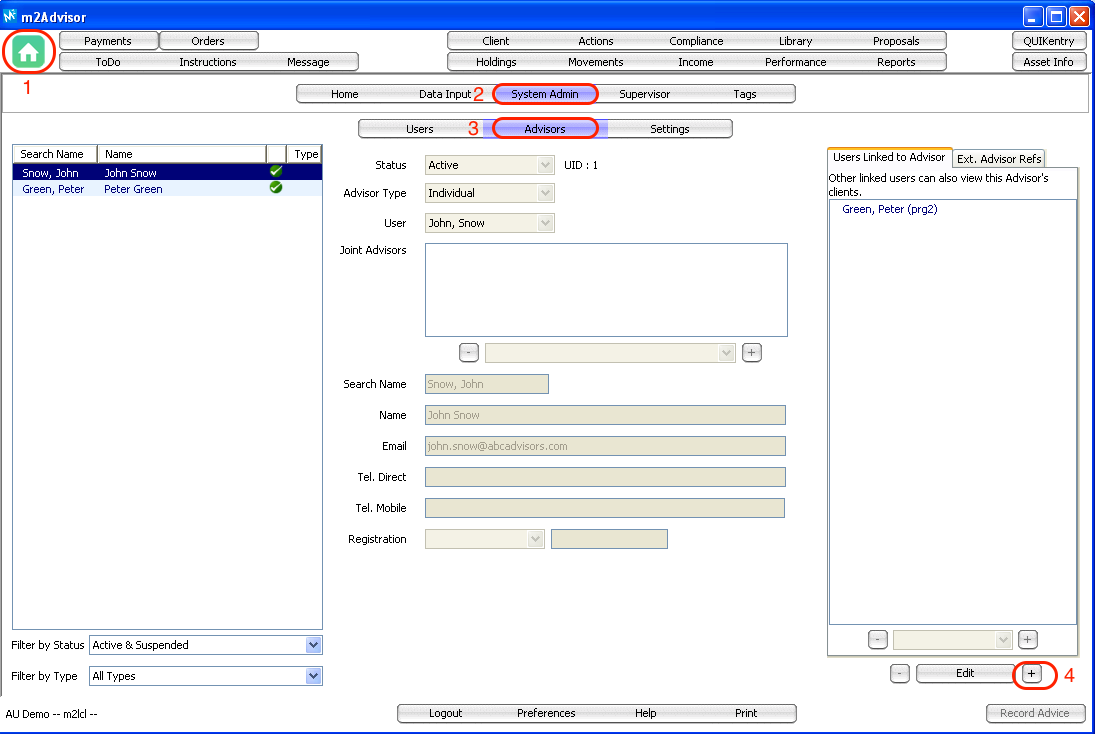
1. Go to 'Home' > System Admin > Advisors
2. Select the '+' button on the bottom right of the m2Advisor window to add a new Advisor
3. Fill in the main panel:
- Status: 'Active' / 'Obsolete' / 'Suspended'
- Advisor Type: 'Individual' / 'Joint' (if a client have 2 or more Advisor, you can use 'Joint')
- User: select the User for this Advisor
- Search Name: "surname, first name" of the Advisor
- Name: Name of Advisor or Advisors
- Email: Advisor's email address
- Tel Direct/Mobile: Advisor contact number
- Registration: e.g. advisor AFSL number
Allowing other Users Access to Advisor's Clients
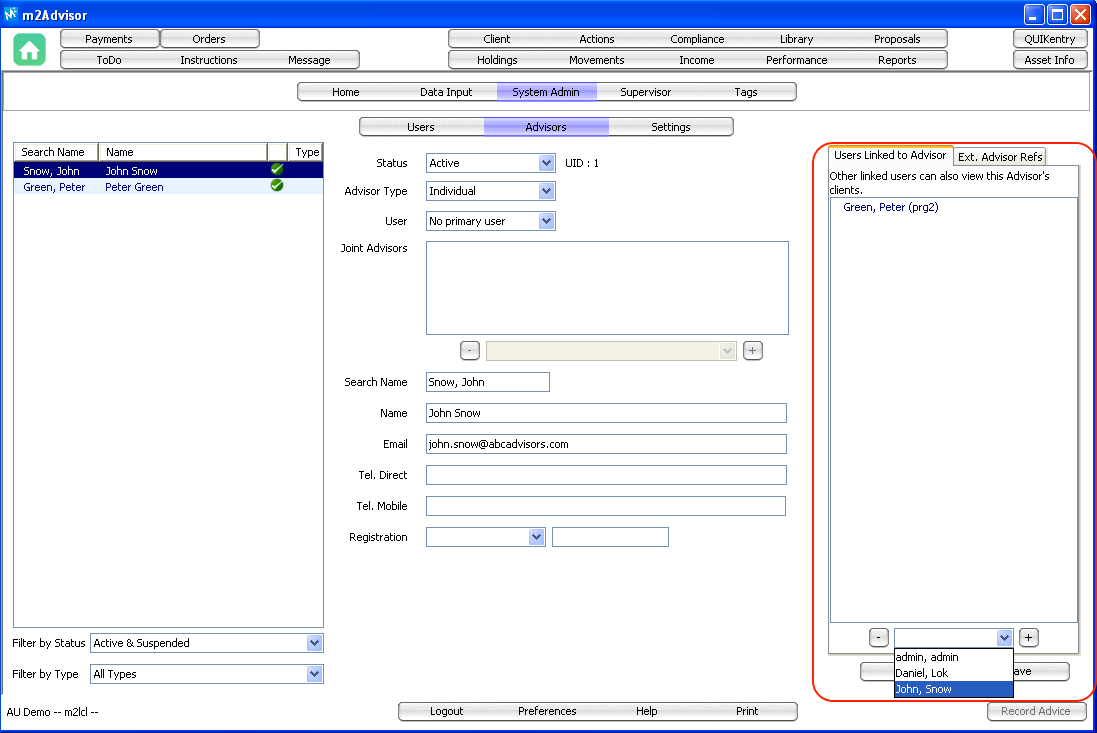
An 'Advisor' can also share its clients with other users. This can be set up on the right hand panel "Users Linked to Advisor".
1. Click 'Edit' on the bottom right corner
2. Select a User on the drop down list in the 'Users Linked to Advisor' panel
3. Click on the '+' to add the User to the selected Advisor
Adding an Advisor Reference
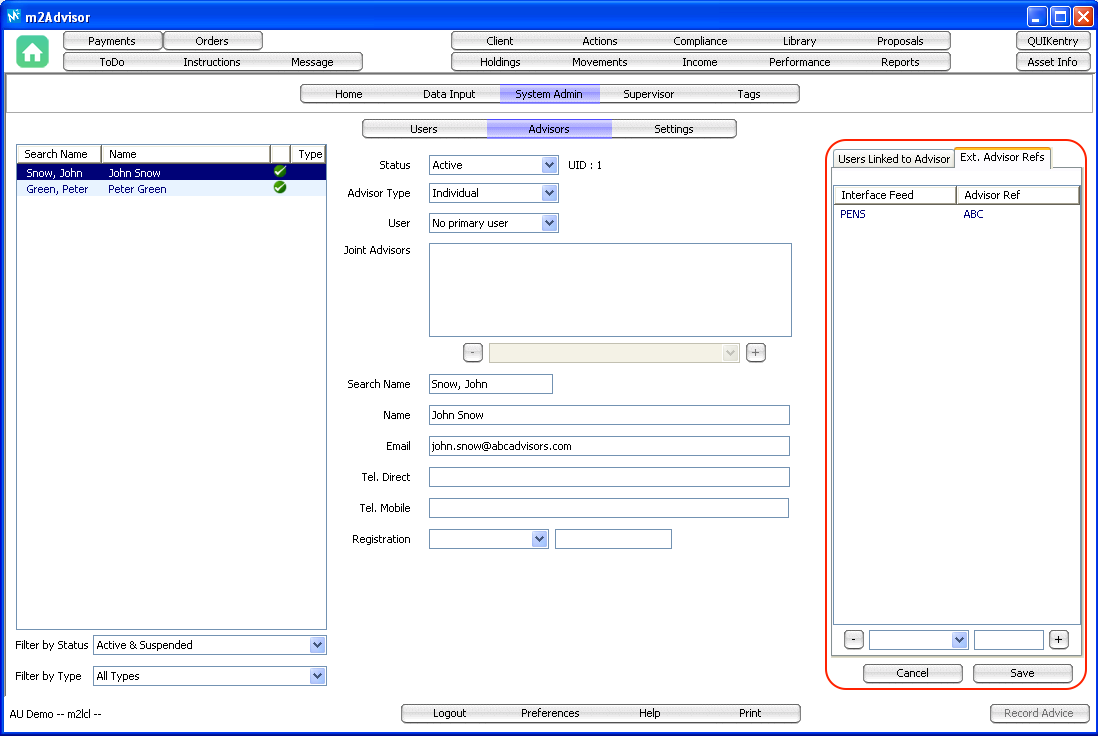
You can also add an advisor reference using the 'Ext. Advisor Refs' (if any).
Comments
0 comments
Please sign in to leave a comment.