
What are Specified Documents?
Specified Documents are names of common documents used in the day-to-day running of the business.
E.g: ID documents, Sophisticated Investor Certificate, Trust Deed, New Client Form etc.
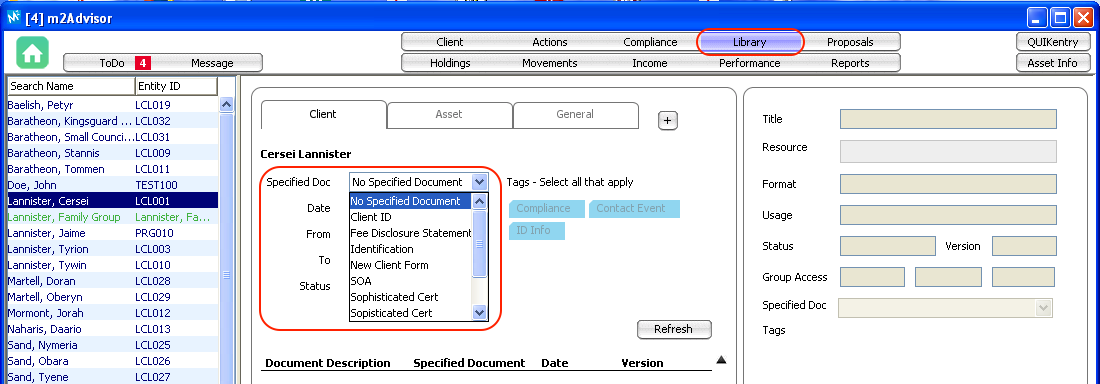
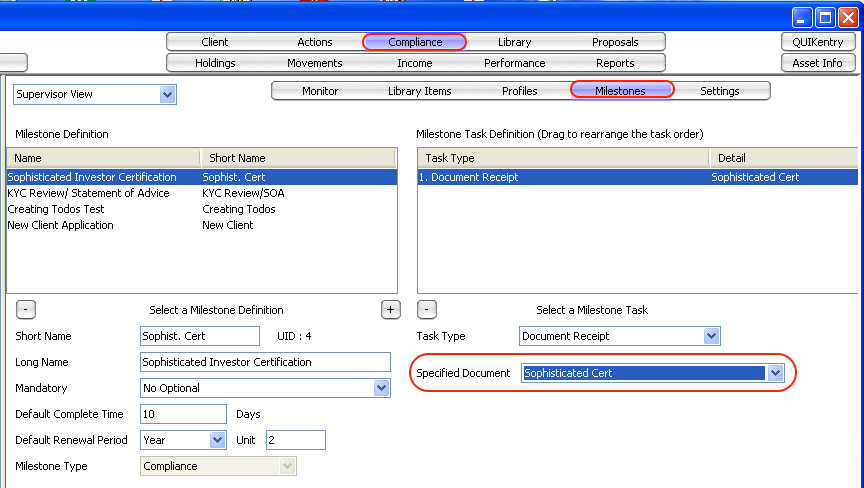
Naming these documents allow you to search for them quickly in the Library system. It also helps with creating compliance milestones workflow where you will need to refer to a document type.
E.g a "New client application" milestone has a "document receipt" task of a "W8-BEN" specified document.
Example: Library
Example: Compliance
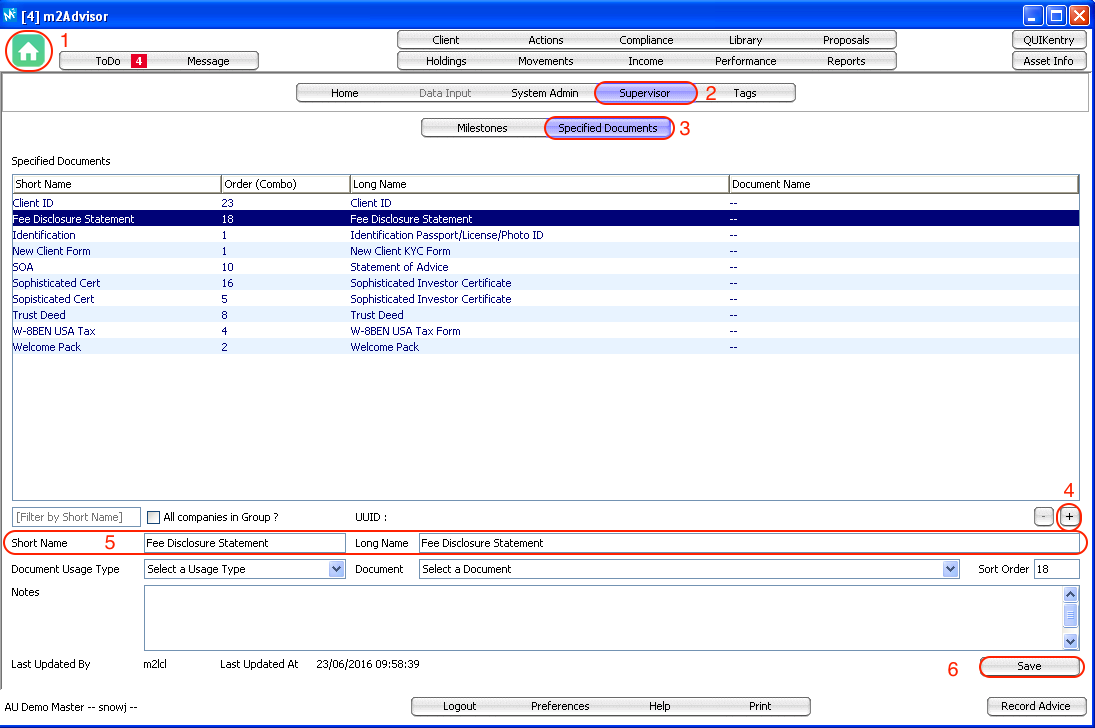
Adding a Specified Document
1. Goto the Home screen
2. Select Supervisor
3. Select Specified Documents
4. Click on the "+" button to add new Specified Documents
5. Fill in the Short Name and Long Name field
6. Click Save
Comments
0 comments
Please sign in to leave a comment.