
Report View
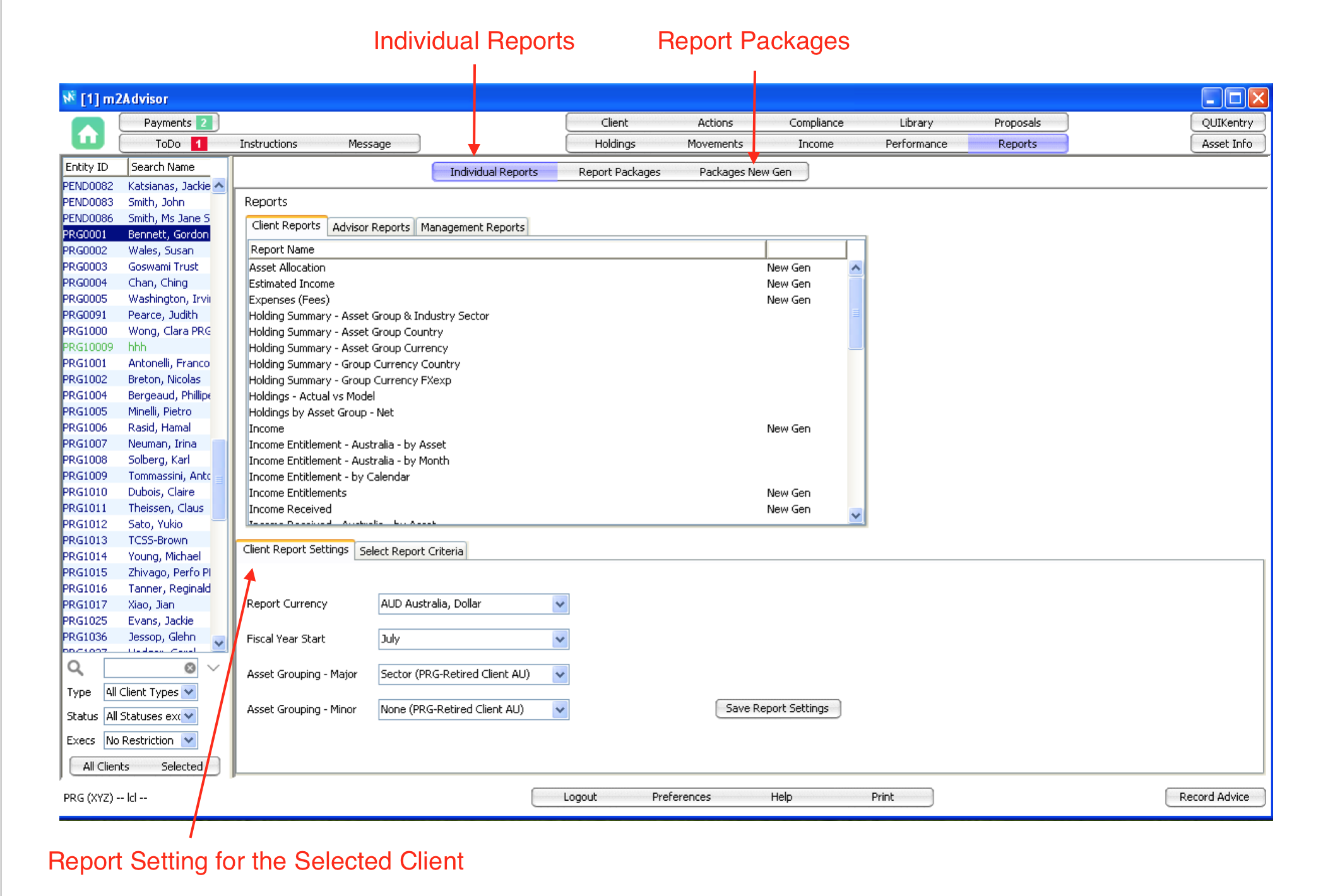
Individual Reports - 3 report levels:
1. Client reports - generate holdings, movement, performance and other reports by client
2. Advisor reports – cash balances, matured and expired holdings.
3. Management reports – firm-wide reports e.g. total funds under management etc.
Client Report Settings
An advisor can change the Report Currency, Fiscal Year Start and Asset Groupings for a specific client.
All reports generated for this client will adhere to these settings. Note that these settings will also flow on to the client's m2Web view.
Report Packages
You can build a standard report packages for the firm and specific reports for a client in ‘report packages’.
You can also include Cover, Contents, and Trailer Page into the report package.
Note: Cover page must be uploaded to the Library before it can be used.
Comments
0 comments
Please sign in to leave a comment.