
Navigating to the Income View
To view the income section of a client’s portfolio:
- Select a client name on the left pane.
- Click on the Income button on the top.

Income View
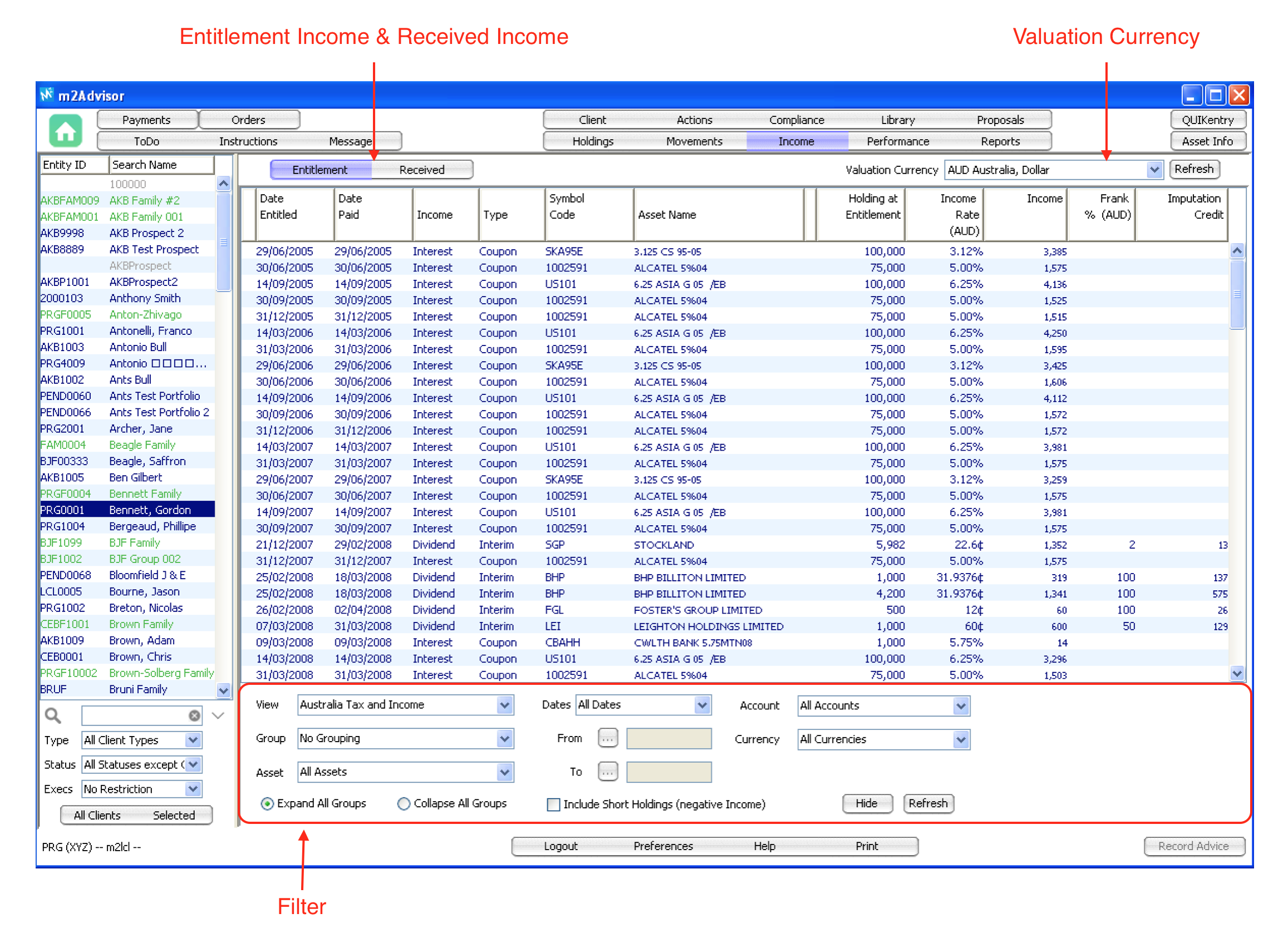
The income screen shows all income generated from the client's portfolio, e.g. interest from fixed income assets and dividend from equities. It does not include capital gains from the buying and selling assets.
There are two separate views on Income:
- Entitlement - shows all the income that the client is entitled to base on corporate actions
- Received - shows all the income that has actually been received in the portfolio.
You can toggle between the two views by clicking the Entitlement and Received buttons above the columns.
How Entitlement income is calculated:
The system looks at ‘income events’ corporate actions (e.g. dividends) over the selected period, and calculates the income expected from dividends, interest etc. The calculation then deducts actual income already received for the period (e.g. from processed dividends), to give what should be an accurate ‘entitlement income’ figure earned for the period.
Filters
You can filter the Income by Date, Group, Assets and View.
This screen also includes a Print function. ‘Print’ is based on the view selected.
Comments
0 comments
Please sign in to leave a comment.