
Actions View
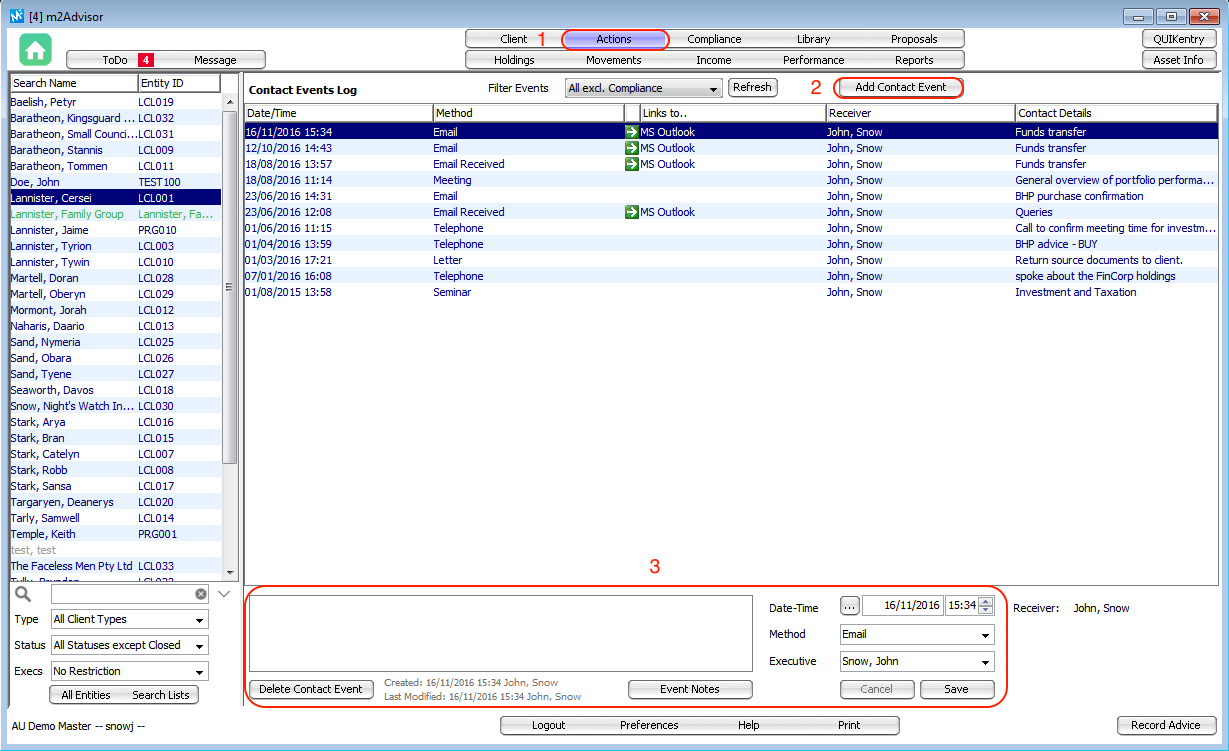
Actions View logs all contact events made with a client. Some contact events are automatically recorded via the Compliance Module or the Library System. Other communication events, like a telephone call, can be manually logged in the Actions View. Email correspondence can also be log directly via MS Outlook.
Adding a Contact Event
1. Go to Actions
2. Click on Add Contact Event
3. Fill in the Contact Event form on the bottom panel and Save
Saving an Email Contact Event
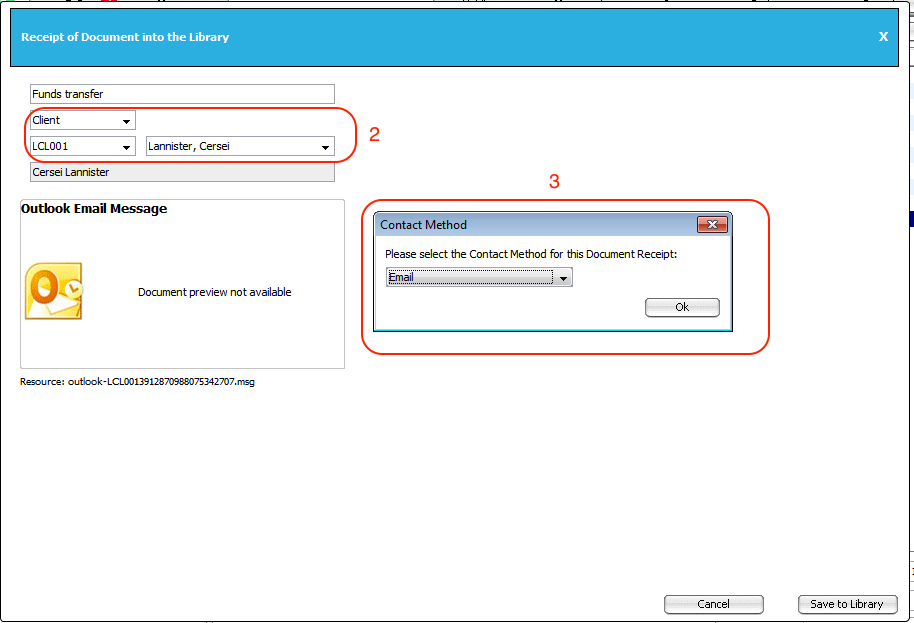
1. Drag and drop the email from Outlook into m2Advisor.
2. Select to save the file under the Client
3. Choose a Contact Method
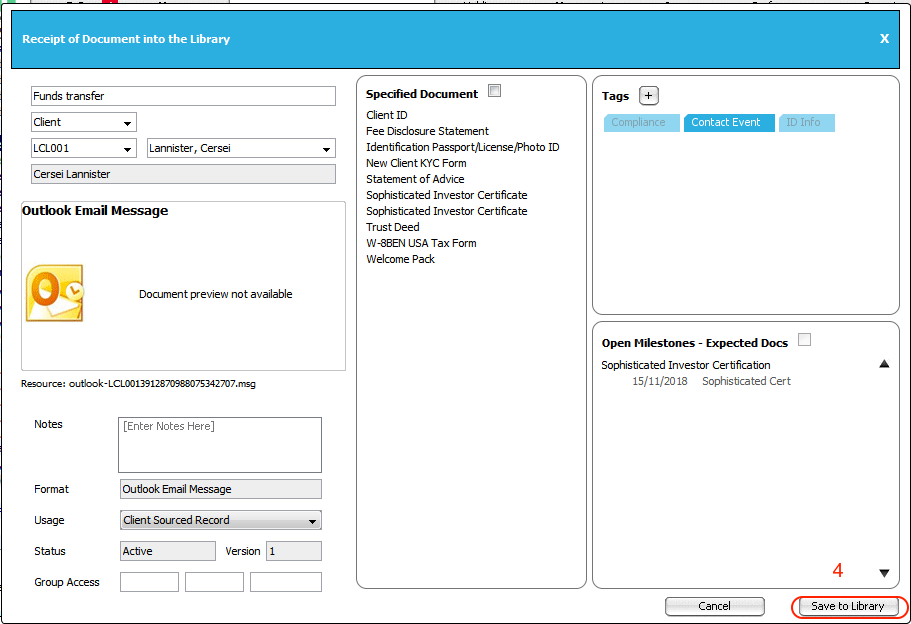
4. Click Save to Library
Comments
0 comments
Please sign in to leave a comment.